Robart
An e-commerce platform for a hardware and construction supplies store in Manila.
From browsing the catalog to a formal quotation or an order paid through PayMongo, Robart puts a Manila hardware store online and runs its counter from the same system.
Inside Robart
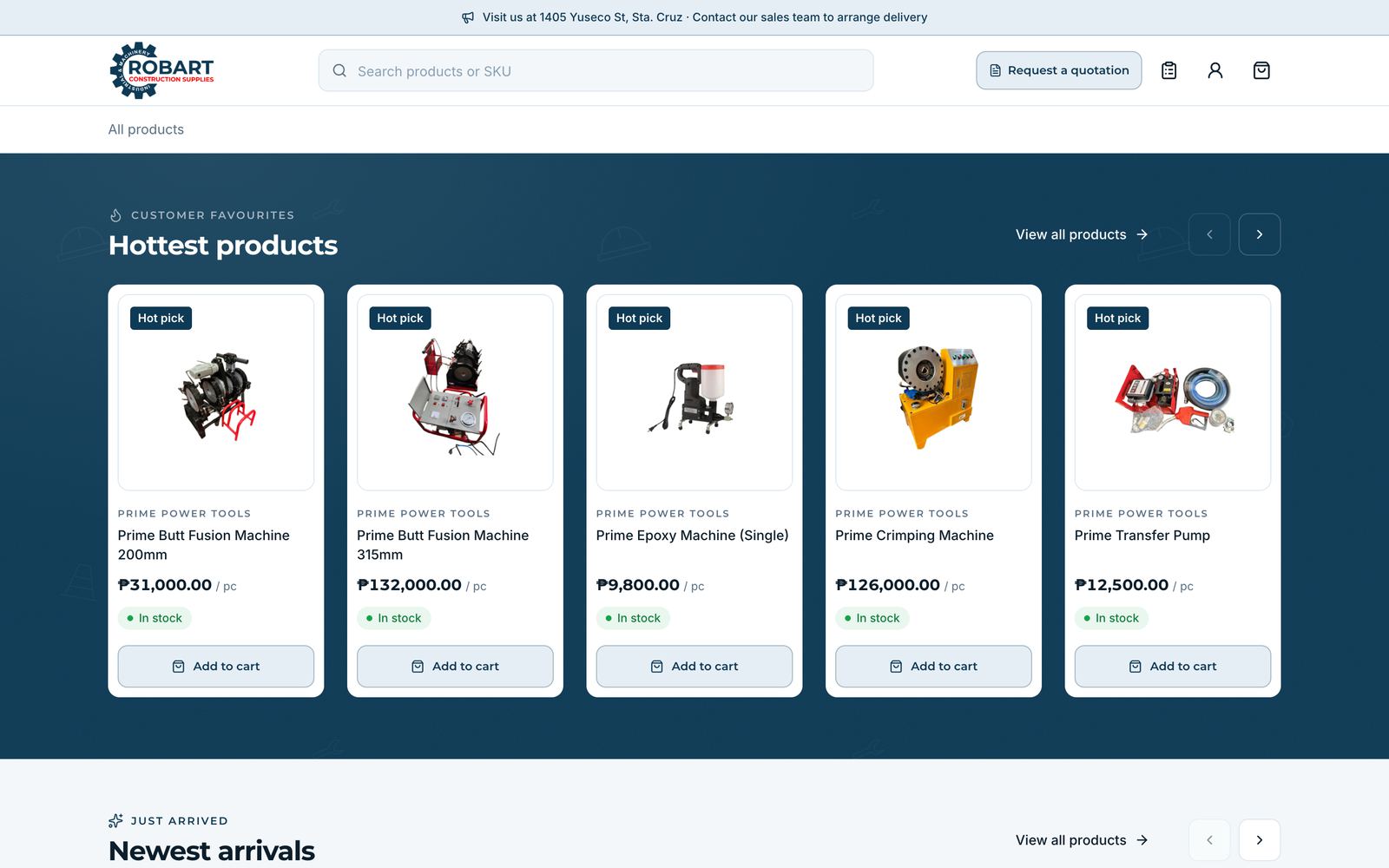
Screens from the staging build show the storefront, the catalog, a product page on desktop and phone, and the quotation request. Select a screenshot to inspect it at full size.
Products, prices, and stock levels in these screenshots are example catalog data only. They are not verified products or current prices.
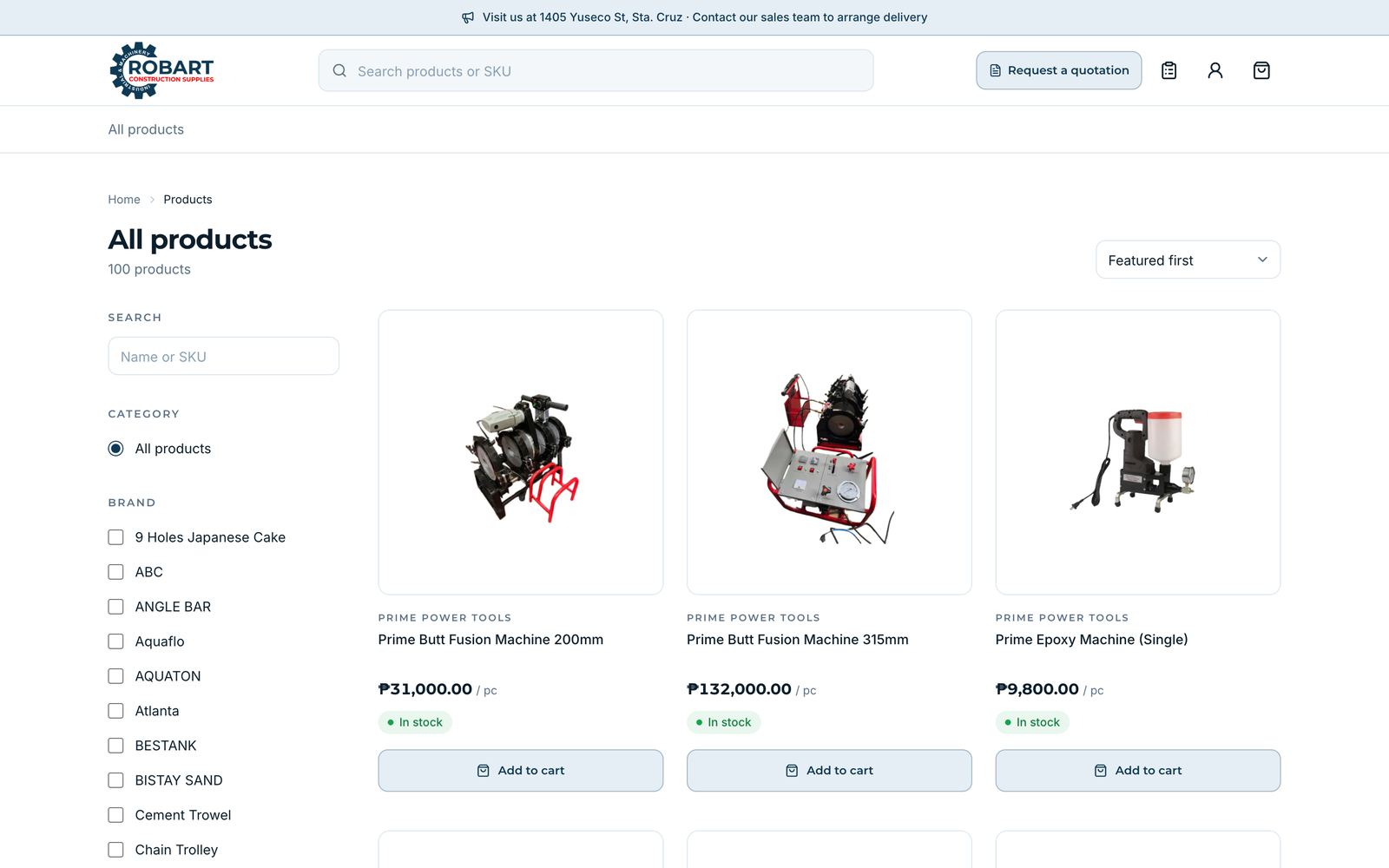
Product catalog
Search by name or SKU, filter by category and brand, and sort the full catalog.
Open on robarttools.com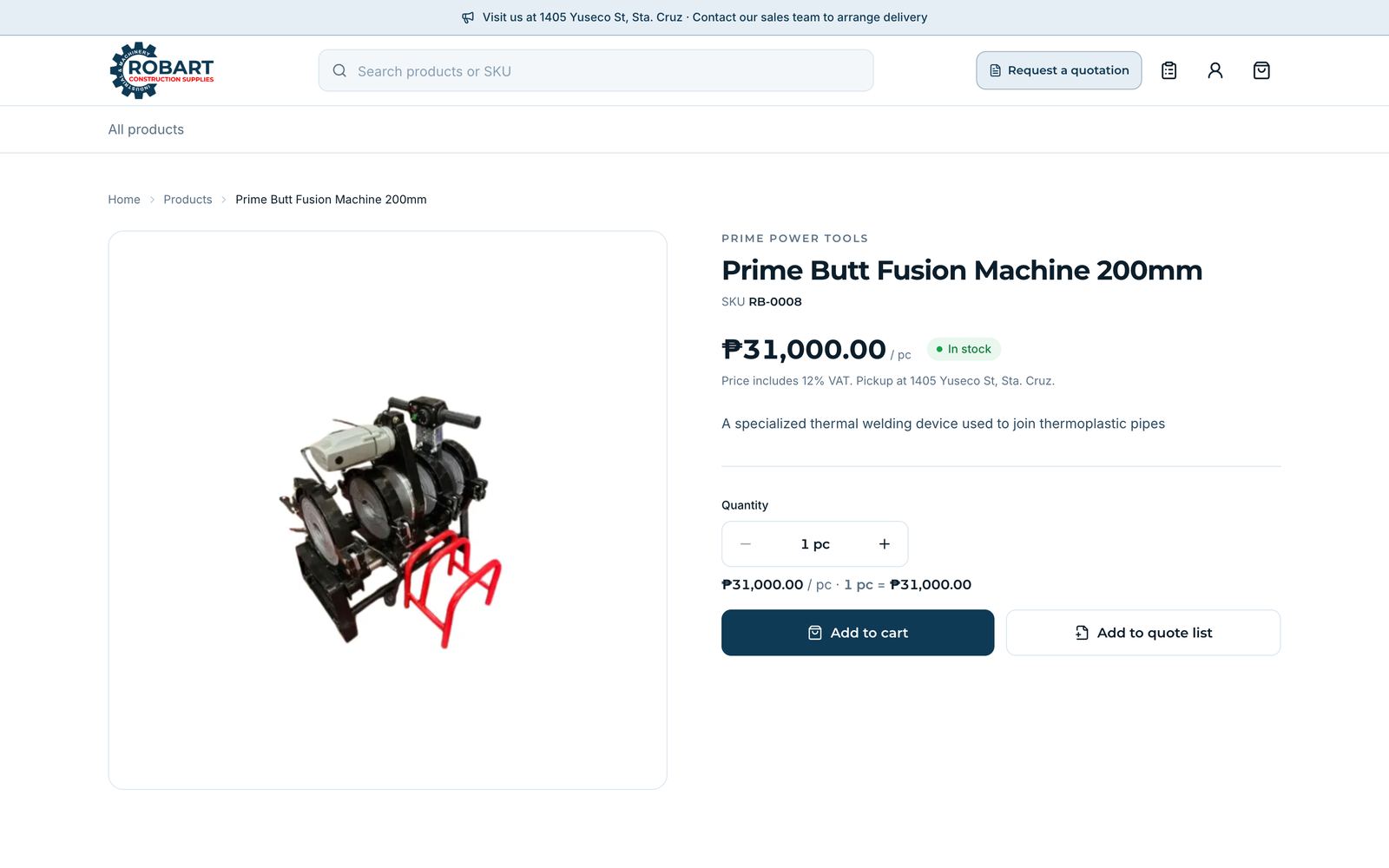
Product page
Price with VAT, stock status, a quantity stepper that shows the line total, and buttons for the cart or the quote list.
Open on robarttools.com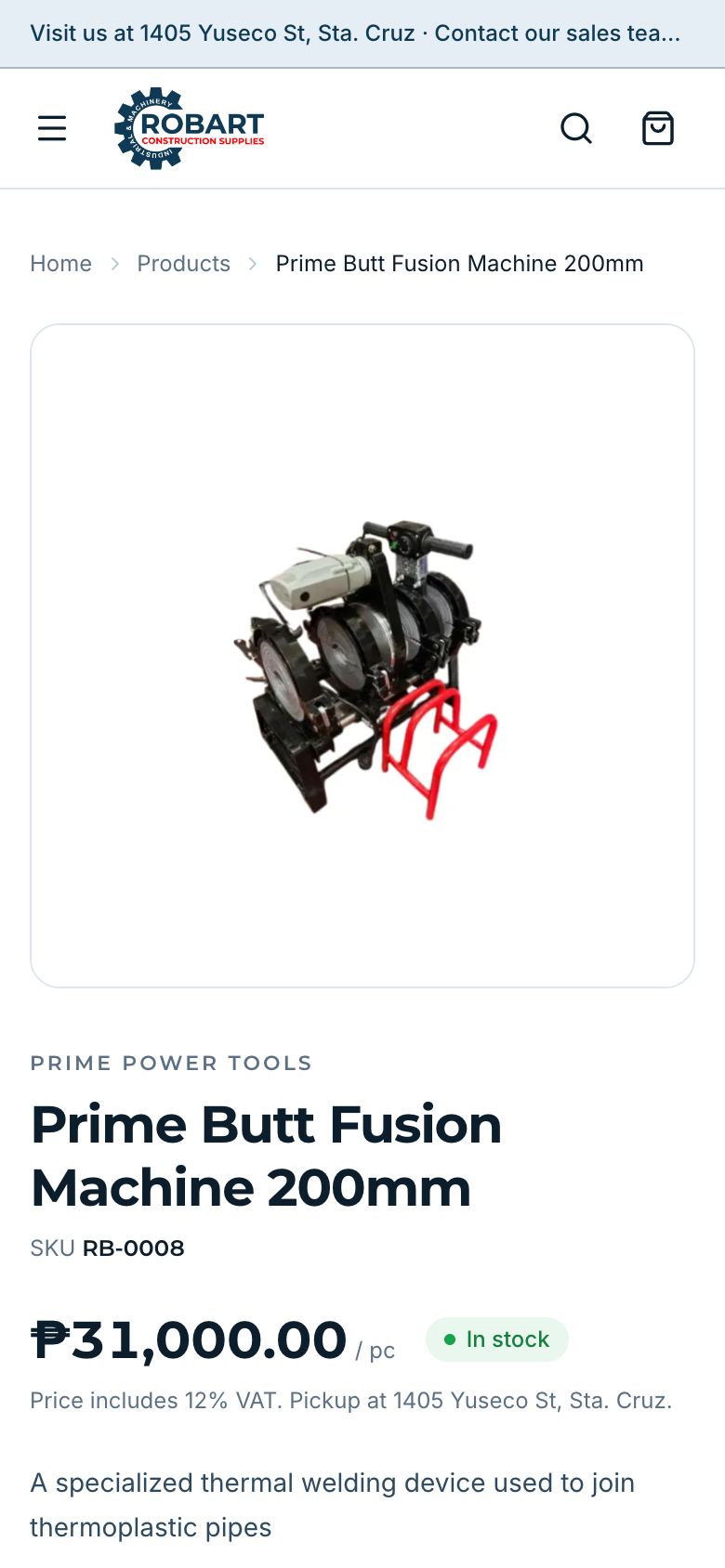
On a phone
The same product page, built for phones first.
Open on robarttools.com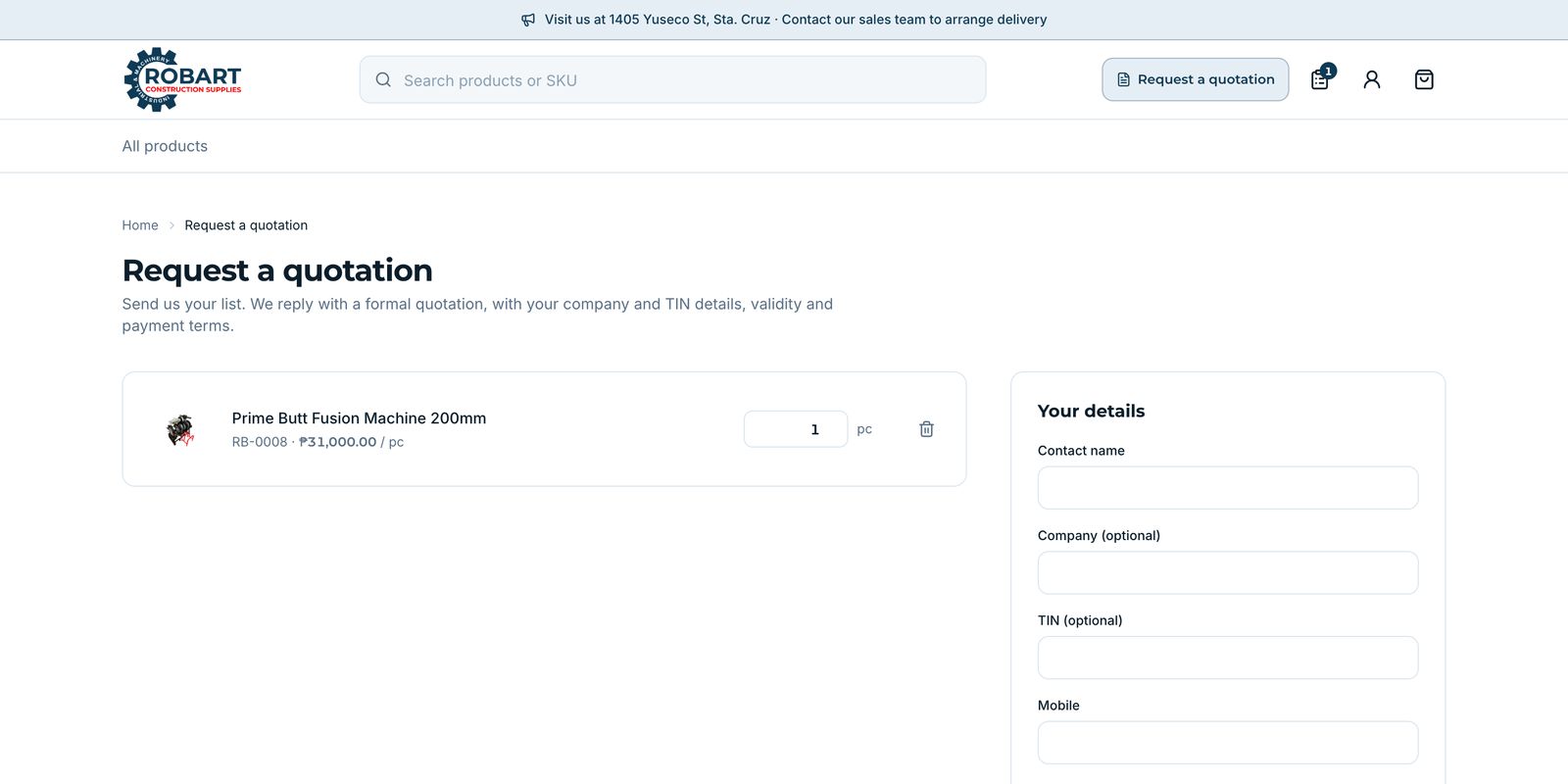
Request a quotation
Customers send their list with company and TIN details, and Sales replies with a formal quotation.
Open on robarttools.comAbout the Project
Robart Construction Supplies sells tools, machinery, and building materials from its store in Sta. Cruz, Manila. One Laravel application runs the online storefront and the back office. Customers browse the catalog by brand and category, see bulk prices by quantity, build a quote list for a formal quotation, and check out for store pickup or delivery. Payments run through a PayMongo integration: customers pay with GCash, Maya, card, or QR Ph on PayMongo’s checkout, a signed webhook marks the order paid, and a scheduled reconciliation catches any payment whose webhook never arrived. Staff manage products, variants, stock, counter sales, quotations, receipts, and order tracking from one admin panel. The products shown are example catalog data only, not verified products or live prices.
Explore the Robart store
The storefront opens at robarttools.com when Robart launches. Until then, these screens come from the staging build, which runs the same code against example catalog data.